
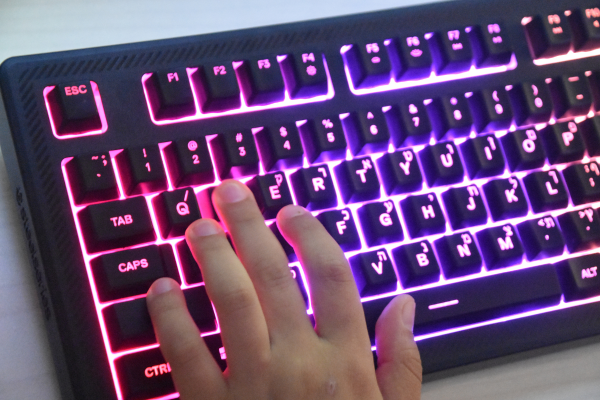
A while back, I bought a set of premium silent switches expecting near-total silence. I installed them, sat down to type, and… it was quieter, sure, but still noticeably clackier than the sound tests I’d watched online. I spent a solid hour convinced I’d bought defective switches before realizing the actual problem had nothing to do with the switches at all. It was the keyboard case itself. That was my first real lesson in something a lot of people overlook: switches are only one piece of a much bigger sound puzzle.
If your keyboard sounds louder or hollower than you expected, there’s a good chance the switches aren’t actually the issue.
The Hollow Case Problem
Most budget and mid-range keyboards have a decent amount of empty space inside the case, between the circuit board and the bottom shell. When you press a key, part of that sound doesn’t just come from the switch itself, it comes from vibrations bouncing around inside that empty cavity, creating a hollow, tinny sound that keyboard enthusiasts often call “case ping.”
This is why two identical switches can sound completely different depending on which keyboard they’re installed in. A well-built case with internal dampening will make almost any switch sound better, while a hollow, unpadded case can make even premium silent switches sound cheap and clackly.
Keycaps Matter More Than People Expect
The material and thickness of your keycaps changes the pitch and character of your typing sound significantly. Thin ABS keycaps, common on budget boards, tend to produce a higher-pitched, sharper click. Thicker PBT keycaps generally produce a deeper, more muted sound simply because there’s more material to absorb the impact.
This isn’t just theoretical. I’ve swapped the exact same switches between a thin ABS keycap set and a thicker PBT set on the same board, and the difference in perceived loudness was noticeable within a few keystrokes.
Stabilizers: The Most Overlooked Noise Source
If your spacebar or larger keys (shift, enter, backspace) rattle or sound distinctly different from your other keys, the culprit is almost always your stabilizers, not your switches. Stabilizers are the small mechanisms that keep wider keys balanced when pressed off-center, and factory stabilizers are notorious for being under-lubricated and prone to rattling.
A basic stabilizer lube job, using a small amount of dielectric grease on the wire and a thin lube on the housing, can dramatically quiet down a spacebar that otherwise sounds like it’s rattling loose. This is honestly one of the highest-impact, lowest-effort fixes available if your keyboard has one specific loud or rattly key.
Case Material and Mounting Style
Metal cases, while premium-feeling and durable, tend to resonate more than plastic ones, which can actually make a keyboard sound louder or “pingier” without any additional dampening. Plastic cases naturally absorb more vibration on their own.
The way the plate is mounted inside the case matters too. Gasket-mounted keyboards, where the plate essentially floats on soft material rather than screwing directly into the case, tend to sound and feel noticeably softer than tray-mounted boards where everything is rigidly screwed together.
Fixing It Without Buying a New Keyboard
You don’t necessarily need to buy an entirely new case to solve this. A few accessible fixes, roughly in order of effort:
1. Add case foam. A simple layer of foam (neoprene, poron, or even polyfill in a pinch) placed inside the empty space beneath the circuit board absorbs a surprising amount of hollow resonance. This is one of the most common and effective mods in the hobby.
2. Try the tape mod. Adding a few layers of painter’s tape to the back of the PCB is a cheap, reversible way to change the acoustic profile of a board, generally making it sound deeper and less clacky.
3. Lube your stabilizers. As mentioned above, this alone fixes a huge percentage of “why does my spacebar sound so bad” complaints.
4. Upgrade your keycaps. If you’re still using stock ABS keycaps, switching to a thicker PBT set is often a bigger sound upgrade than switching switches entirely.
5. Add a desk mat. Placing your keyboard on a desk mat instead of directly on a hard desk surface reduces the vibration that transfers to the desk itself, which can make a real difference in perceived loudness in a quiet room.
Watch the Full Process
If you want to see these fixes applied in practice, this video walks through building a genuinely quiet keyboard from a fairly standard board, covering foam, keycaps, and switch choice together rather than in isolation:
Seeing how these different fixes stack together helped me understand that no single mod does all the work. It’s really the combination that gets you to a genuinely quiet board.
What I’d Actually Recommend Doing First
If you only have time or patience for one fix, I’d start with case foam if your board doesn’t already have any; it’s cheap, reversible, and addresses the single biggest source of unwanted hollow sound. If your spacebar specifically is the loud offender, skip straight to lubing your stabilizers instead, since that’s almost always the actual source of that particular noise.
If you’ve already gone down the switch route and are still not satisfied, it might be worth revisiting our guide on lubricating your switches, since scratchy, unlubed switches combined with a hollow case compound each other in a way that makes the problem sound worse than either issue alone.
And if you’re building a board specifically for a quiet office setting, pairing these fixes with the right switch choice from our guide to the best silent switches for open offices will get you the closest to a genuinely whisper-quiet setup.
Wrapping Up
Switches get most of the attention in noise discussions, but the case, keycaps, and stabilizers often matter just as much, sometimes more. Before assuming you bought the wrong switches, it’s worth checking whether the actual problem is a hollow case or an unlubed stabilizer. In my experience, these fixes are cheaper and easier than most people expect.