
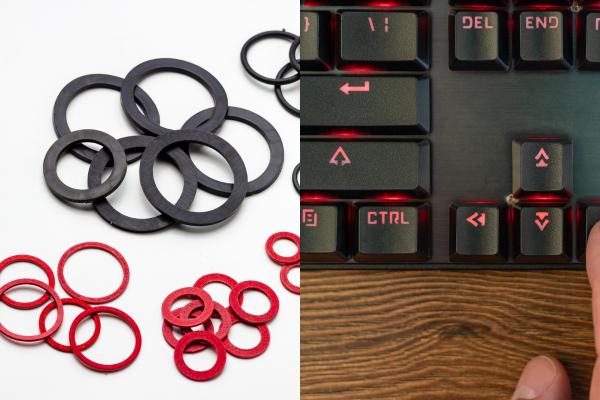
Before I understood how keyboard sound actually works, I bought a pack of O-rings thinking they’d get me the same result as silent switches, just for a fraction of the price. I was wrong, but not completely wrong. They did make a difference. It just wasn’t the difference I expected, and understanding why took me down a rabbit hole of what’s actually happening acoustically inside a switch versus outside of it.
If you’re trying to decide between these two approaches, or wondering if you even need to choose, here’s what I’ve learned from using both extensively.
What Each One Actually Does
O-rings are small rubber or silicone rings that sit between the keycap and the switch stem. Their entire job is to cushion the impact when the keycap bottoms out, essentially adding a soft buffer between two hard plastic surfaces. They’re external to the switch, cheap, and can be added to literally any keyboard in minutes.
Silent switches work from the inside. They have small rubber or silicone dampeners built into the switch housing itself, cushioning both the bottom-out and the top-out (when the key returns to its resting position). This is a more thorough approach because it addresses two separate noise points instead of just one.
That distinction, addressing one noise point versus two, ends up mattering more than people expect.
Where O-Rings Fall Short
Here’s the thing that surprised me most: O-rings do nothing for the sound produced by the switch itself. If you’re using a clicky switch, the click mechanism is what generates that sound, and it happens inside the switch housing regardless of what’s cushioning the keycap. O-rings will not quiet down a clicky switch’s actual click, no matter how thick or soft they are.
They also only address the bottom-out. The top-out sound, the spring returning the stem to its resting position, isn’t touched by an O-ring at all. So even on a linear switch, you’re only solving half the acoustic picture.
Where Silent Switches Pull Ahead
Because silent switches dampen both directions of travel, they end up meaningfully quieter overall, especially on linear switches where there’s no click mechanism to worry about. This is why a silent linear switch, properly used, tends to sound noticeably quieter than a regular linear switch with O-rings installed, even though both approaches are addressing bottom-out noise in some way.
The tradeoff is upfront cost and effort. Silent switches typically cost more per unit than a bag of O-rings, and if your keyboard isn’t hot-swappable, installing them means desoldering your existing switches, a bigger project than snapping a few rubber rings onto keycaps.
See the Comparison in Action
Reading about the difference only gets you so far, since the actual sound difference is what matters here. This video tests both approaches directly, which makes the practical difference much clearer than a written explanation:
I’d recommend watching a comparison like this before deciding which route to take, especially if you’re on the fence about spending more on silent switches versus just trying O-rings first.
Can You Use Both Together?
Yes, and honestly, this is often the best approach if you want maximum quiet. Adding O-rings to silent switches gives you a slightly cushioned bottom-out on top of the switch’s built-in dampening, which can shave off a bit more noise. The catch is that stacking both can start to feel mushy if you go too thick on the O-ring, since you’re compounding cushioning effects. If you go this route, start with thin, softer O-rings rather than thick, hard ones.
Which One Should You Actually Choose?
If you’re on a tight budget or just want to test whether reducing bottom-out noise helps your specific situation, O-rings are the cheaper, faster starting point. A small pack costs very little and takes minutes to install on any keyboard, hot-swappable or not.
If you’re building a keyboard specifically for a quiet environment, whether that’s an office, a shared apartment, or late-night typing, silent switches are the better long-term investment. They address more of the actual sound sources, and they don’t come with the same risk of making your keyboard feel mushy if you’re not careful with thickness selection.
For anyone who’s already invested in a good set of silent switches, our guide on budget-friendly silent switches under $30 is a good place to shop without overspending. And if you’re not sure your current keyboard even supports switch swapping, our switch swapping guide for beginners walks through how to check and how to actually do it.
One Thing Neither Option Fixes
Worth repeating: neither O-rings nor silent switches will fix a rattly stabilizer or a hollow-sounding case. Those are separate problems with separate fixes, which we cover in detail in our guide to why your keyboard sounds louder than it should. If you’ve tried both O-rings and silent switches and you’re still hearing an annoying rattle, particularly on your spacebar, that’s very likely your stabilizers, not your switches at all.
Wrapping Up
O-rings are a cheap, quick way to soften bottom-out noise on any keyboard, but they don’t touch click mechanisms or top-out sound. Silent switches address more of the actual noise sources at the cost of a higher price and more setup effort. If quiet is genuinely your top priority, silent switches are worth the investment; if you just want to take the edge off an existing keyboard cheaply, O-rings are a reasonable first step.