
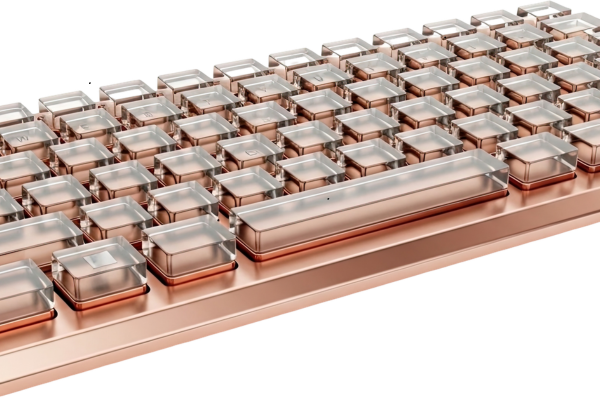
Most people buy a desk mat purely for looks, and honestly, that’s a fine enough reason on its own. But if you’re running a mechanical keyboard, the mat underneath it is quietly doing more work than it gets credit for: it changes the sound of your typing, protects your desk finish from scratches and spills, and gives a stiff, resonant board something softer to rest on than bare wood or laminate.
The Acoustic Job a Desk Mat Actually Does
When you type, part of the resulting sound isn’t just the switch itself, it’s vibration traveling down through the case and into whatever surface the keyboard sits on. A hard desk (wood, laminate, glass) reflects that energy back rather than absorbing it, which adds a subtle ringing or hollow quality to the overall sound, on top of whatever the keyboard itself is producing. A desk mat interrupts that reflection, absorbing rather than bouncing back the vibration, which softens and deepens the perceived sound.
It’s worth setting expectations correctly here: a desk mat is a finishing touch, not a fix for a genuinely loud keyboard. If your board has a hollow, resonant case or unlubed rattly stabilizers, something we covered in our guide to why your keyboard sounds louder than it should, a desk mat will take the edge off but won’t solve the underlying problem. Think of it as roughly the last 15-20% of your sound profile, useful, audible, but not a substitute for addressing the keyboard itself if there’s a real acoustic issue inside the case.
Material Actually Matters More Than Thickness Alone
Cloth (woven fabric) is the most common desk mat material, and quality varies enormously based on weave density. A tighter weave with more fiber-to-fiber contact absorbs more vibration through friction, converting sound energy to heat rather than letting it bounce back. Cheap, loosely-woven cloth mats provide much less benefit than a dense, higher-GSM (grams per square meter) cloth mat, even at similar thickness.
Felt has a genuinely strong reputation in this specific use case, and it’s earned. Felt has been used in acoustic treatment for decades outside the keyboard hobby entirely, and the dense, interlocked fiber structure is particularly effective at absorbing a wide range of frequencies without adding its own coloration to the sound. If your priority is genuinely improving keyboard acoustics rather than just aesthetics, felt is one of the more consistently recommended options.
Cork, often paired with wool or felt in hybrid mats, adds meaningful low-frequency dampening on top of whatever the top layer is doing. Cork-backed mats tend to be thicker overall, which helps across the board.
Leather or PU leather mats look premium and are genuinely good for pen-and-paper use or a polished professional look, but they’re a comparatively poor acoustic match for a mechanical keyboard. The harder, less absorbent surface doesn’t dampen vibration nearly as effectively as cloth or felt, so if sound is a real priority for you, a leather mat is more of an aesthetic choice than a functional one for this specific purpose.
Hearing the Actual Difference Between Materials
This is genuinely one of those things where a written description undersells how noticeable the difference is in practice. This video runs a direct sound comparison across several common desk mat materials on the same keyboard, which makes the material differences far clearer than reading about GSM ratings or fiber density:
Size and Coverage Worth Thinking About
Desk mats come in a range of sizes, from compact ones sized just for a keyboard and mouse, to full-desk mats that cover most of a standard desk surface. A full-desk mat creates a more cohesive, unified look and gives you a consistent surface for everything on your desk, not just typing. A smaller, keyboard-specific mat is a reasonable choice if you want a thicker, more acoustically optimized pad specifically under the board without paying for material you don’t need elsewhere.
Either approach works, it’s really a matter of whether you want the acoustic benefit concentrated specifically under the keyboard or spread across your whole desk surface for a more unified aesthetic.
Edge Construction Is an Underrated Durability Factor
An detail that rarely gets attention but genuinely predicts how long a mat lasts: how the edge is finished. Heat-sealed edges, where the cloth and backing are fused with heat rather than sewn, look clean initially but tend to start peeling and fraying at the corners within the first year of regular use, especially if you roll the mat up for travel or storage. A stitched edge, where a reinforcing thread binds the layers mechanically around the entire perimeter, holds up considerably longer under the same repeated handling. If you’re buying a mat you intend to keep for years rather than replace annually, checking for stitched edges specifically is worth the extra minute in a product listing.
One Practical Note on Spills
Beyond sound, a decent desk mat provides a genuine buffer against spills reaching your desk’s actual finish, particularly on wood or laminate where a spill can permanently damage the surface if it isn’t caught quickly. A tighter weave slows liquid enough to grab a towel before it reaches the desk itself, and some mats add a specifically water-resistant top layer that beads liquid rather than absorbing it. If you keep coffee or tea near your keyboard regularly (most people do), this is a genuinely practical reason to choose a mat beyond either sound or looks.
Tying It Back to the Rest of Your Setup
If you’ve already put thought into your keycap colors and cable choice, a desk mat is one of the last pieces that ties the whole visual language together, something we touched on in our guide to matching keycaps with your desk setup. Acoustically and aesthetically, it’s a small, inexpensive addition relative to the rest of a keyboard build, but it’s frequently the detail that makes a finished setup feel genuinely complete rather than merely functional.